
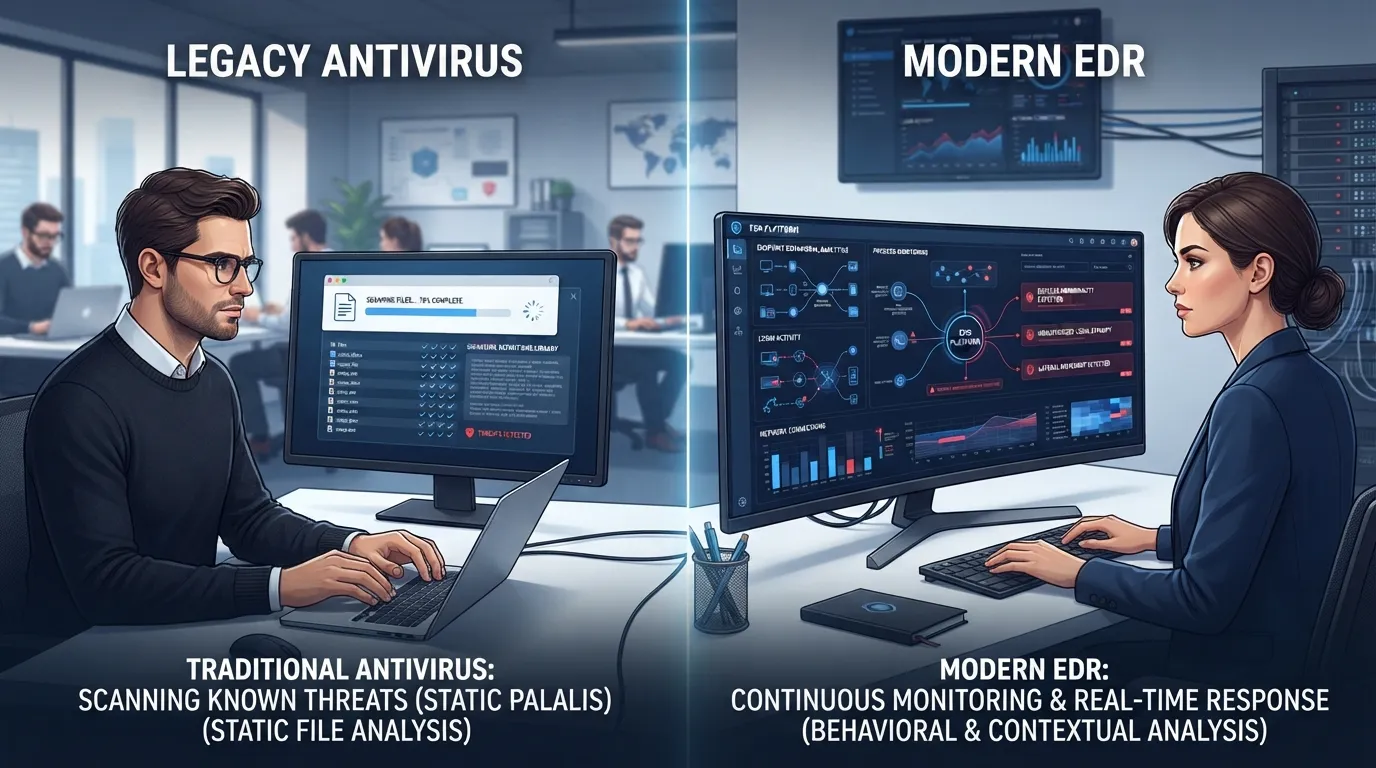
The short answer: antivirus blocks files it recognizes as malicious; EDR watches behavior and catches attacks that don’t use recognizable malware at all. For a business in 2026, EDR (endpoint detection and response) is the baseline. Legacy antivirus alone protects you against roughly the attacks of 2015.
That’s a strong claim, so let’s earn it. This is a comparison for owners deciding what should actually run on the company’s computers, written by the techs who clean up when the wrong answer got picked.
EDR vs antivirus at a glance
| Criterion | Legacy antivirus | EDR |
|---|---|---|
| Detection method | Signature matching against known malware | Behavior analysis of everything running |
| Catches fileless / stolen-credential attacks | No | Yes |
| Visibility after an incident | Almost none | Full timeline of what happened |
| Response capability | Quarantine the file | Isolate the whole machine, kill processes, roll back |
| Needs human monitoring to reach full value | No | Yes (that’s where MDR comes in) |
| Typical small-business cost | $2–$6/device/mo | $6–$15/device/mo |
What antivirus actually does
Traditional AV keeps a giant list of known malicious files and blocks anything that matches. It’s a bouncer with a photo book of banned customers. Effective against mass-market commodity malware, and to be fair, it still stops plenty of it.
The problem is scale and novelty. AV-TEST’s institute registers hundreds of thousands of new malware samples every single day (AV-TEST). No photo book keeps up. Worse, modern attackers increasingly skip malware entirely. Verizon’s Data Breach Investigations Report has shown for years that stolen credentials sit at or near the top of how breaches actually start (Verizon DBIR). When an attacker logs into your Microsoft 365 account with your bookkeeper’s real password, there is no malicious file. The photo book has nothing to match. Antivirus scores this a perfectly normal Tuesday.
What is endpoint protection, and what does EDR add?
Endpoint protection is the broader term for securing the devices (endpoints) people work on: laptops, desktops, servers. EDR is the modern engine inside it. Instead of asking “is this file on the bad list,” EDR asks “is this behavior normal for this machine?”
Concretely, EDR notices things like:
- An invoice PDF spawning PowerShell, which then reaches out to an IP address in a country you don’t do business with
- A login at 2:40 a.m. from a device that’s never touched your network, followed by mailbox forwarding rules appearing
- One workstation suddenly reading thousands of files on the shared drive in alphabetical order, which is what encryption looks like before it finishes
None of those involve a “virus” in the classic sense. All of them are attacks. And when EDR flags one, it can do something AV can’t: isolate the machine from the network while leaving it powered on, preserving evidence and stopping spread in one move.
The other half of EDR’s value shows up after something happens. With legacy AV, a post-incident investigation is archaeology: no logs, no timeline, lots of shrugging. With EDR, we can pull the exact sequence: phishing email opened 9:42, macro ran 9:43, credentials harvested 9:44, lateral movement attempt 10:15. That timeline is the difference between “rebuild everything and pray” and “we know precisely what was touched.” Your cyber insurer, incidentally, will ask for exactly that timeline. Increasingly, they ask before the incident, on the application form, whether you run EDR at all.
The Plano test case
Here’s the scenario that convinced a real category of client, in composite form. A 30-person law office in Plano, the kind clustered around Legacy and the Tollway, had name-brand antivirus on every machine, dutifully renewed for years. A paralegal’s Microsoft 365 password got phished. No malware ever touched a computer. The attacker read email for three weeks, learned the wire-instruction rhythms of a real estate closing, then sent doctored instructions from the real mailbox at the real moment.
Antivirus reported all systems clean throughout, because they were. Clean and compromised at the same time. Behavior-based detection flags the anomalous login and the new forwarding rule on day one instead of week three. Firms like that are exactly who our managed IT services in Plano team builds detection-first stacks for, because the money in a law office moves through mailboxes, not file servers
Our take: if your renewal notice says “antivirus” and your business email can authorize payments, you are defending the wrong door. We’d move the AV budget to EDR before spending another dollar anywhere else in the stack.
Do you still need antivirus if you have EDR?
Not separately. Every serious EDR platform includes signature-based blocking as its first layer, so commodity malware still gets swatted automatically before the behavioral engine ever has to think about it. Running a standalone legacy AV alongside EDR usually causes more problems than it solves: the two scanners fight over files, performance drops, and one occasionally quarantines the other. Pick one modern platform. Retire the old one completely, including the forgotten license auto-renewing on a card somewhere.
The honest limitation of EDR
EDR generates alerts. Alerts require a human to read them, decide, and act, ideally within minutes, including at 3 a.m. Sunday. This is the gap most small businesses fall into: they buy the right software and nobody watches it. An unwatched EDR console is a security camera recording a burglary no one will ever review.
If it were our building: EDR on every endpoint including servers, monitored around the clock, which for a company our size means what MDR adds on top of the software rather than hiring analysts. Then email filtering, MFA, and tested backups around it, per the rest of the small business security playbook. Tools without eyes are half a defense.
Choose which, and when
Stick with antivirus alone if: honestly, the list is short. A solo operation with no employees, no server, no compliance obligations, and no ability for email to move money can defensibly run good AV plus MFA and backups for now.
Move to EDR if: you have employees who receive email, you have a server or store client data, your insurer asks about endpoint detection, or a multi-day outage would genuinely hurt. That’s nearly every business we serve.
Frequently Asked Questions
Is EDR better than antivirus?
Does EDR replace antivirus?
What does EDR cost for a small business?
Why isn’t antivirus enough anymore?
What is endpoint protection?
Not sure what’s actually running on your machines right now? Our endpoint protection services team will audit your current stack for free and tell you plainly what it would miss.