
What is a softphone? It’s an app that turns a computer, tablet or smartphone into a full business phone extension. It rings when your desk line rings, shows your office number on outbound calls, and handles transfers, voicemail and conferencing. No desk phone required. You need a device, a headset and an internet connection.
If your company runs one of today’s cloud phone systems, you almost certainly own softphone licenses already and may not be using them. That’s the first thing worth knowing. The second is that a softphone rollout succeeds or fails on unglamorous details: headsets, Wi-Fi, 911 addresses and who controls the login.
What is a softphone, and how does it work?
A softphone is software that does the job of a desk phone. The app signs in to your company’s phone system over the internet, registers as your extension, and uses the device’s microphone and speaker, ideally a headset, for audio. Calls travel as data, so the app works anywhere the device has a decent connection.
The key idea is that your number isn’t tied to a piece of hardware. A business line is an account on the phone system, and any device signed in to that account can ring. Our piece on what a VoIP number is explains that in more depth, and the full call path is in our guide to how VoIP works.
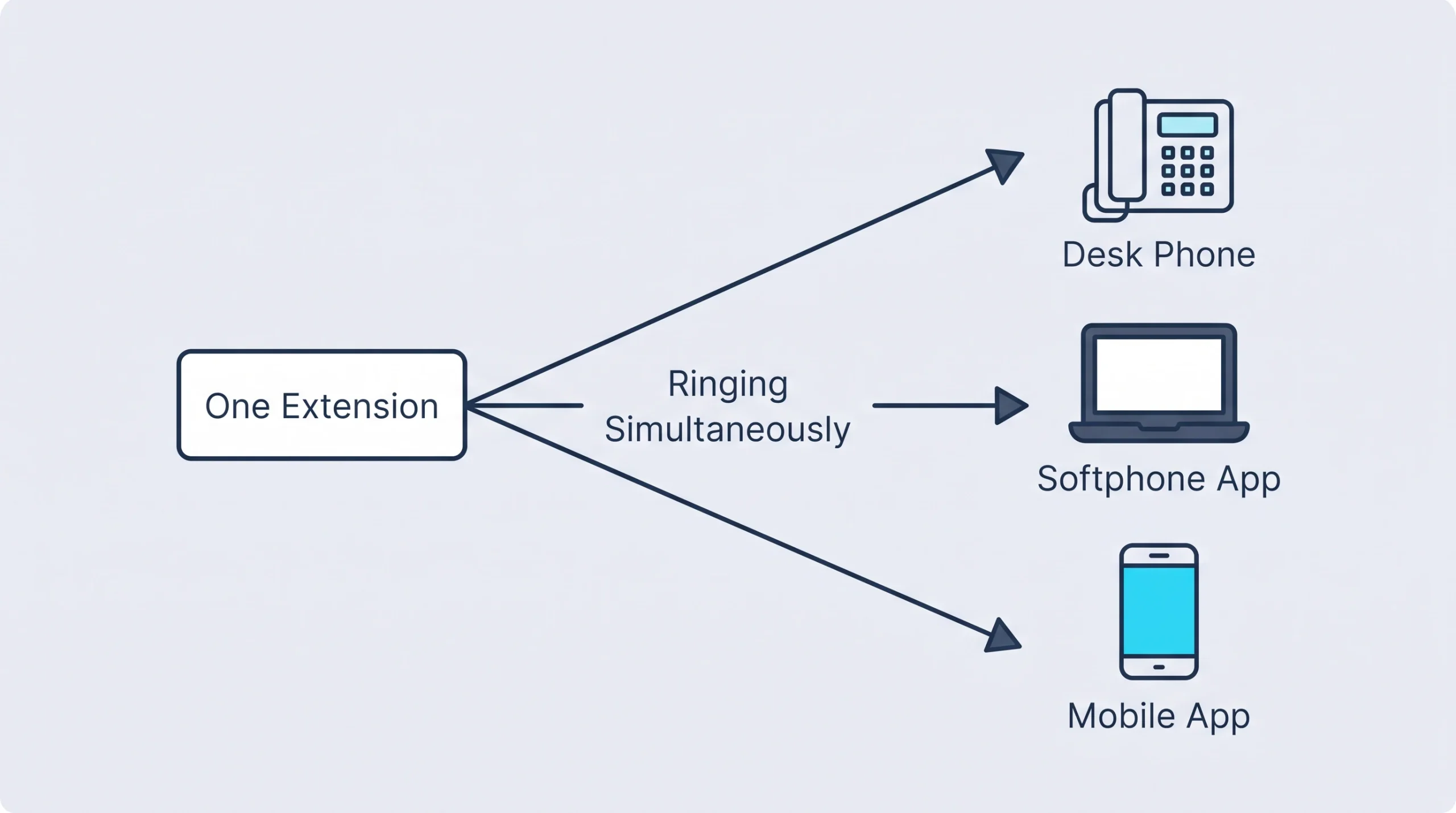
In practice one person often has three endpoints on a single extension: a desk phone at the office, a softphone on the laptop and the mobile app. A call rings all three. Answer on one and the others stop.
Softphone vs desk phone: where each wins
Hardware prices are typical market ranges.
The honest summary: a softphone with a $90 headset sounds as good as a desk phone, and a softphone on laptop speakers sounds like a speakerphone in a stairwell. Most “softphones are terrible” complaints trace back to hardware.
Why a business owner should care
The strongest argument for softphones is about who owns the customer relationship. Hardware savings come a distant second.
Take a 20-person property management company based near Dallas’s Design District, with leasing agents spread across six apartment communities. Without softphones, agents hand out personal cell numbers because that’s the phone in their pocket. Residents and vendors save those numbers. When an agent quits, the calls and texts follow the agent, and the company has no record of any of it.
With the mobile softphone app, the agent calls and texts from the company’s number. Calls can be recorded where policy calls for it. When the agent leaves, the extension is reassigned in a minute and the next call reaches the replacement. It’s a conversation we have often with companies that use us for IT support in Dallas, and it usually changes how owners see softphones: less “cheap phones,” more “our numbers stay ours.”
Softphone app for business: five things to check before rollout
1. Headsets. Budget for them from day one. Wired USB headsets cause the least trouble. Bluetooth is fine if the model is certified for your phone platform. The earbuds that shipped with someone’s phone are not a business headset.
2. The network at both ends. A call needs only about 100 kbps, going by Cisco’s per-call bandwidth figures, so speed is almost never the issue. Stability is. Crowded home Wi-Fi and hotel networks cause choppy audio. In the office, softphones on Wi-Fi need the same voice prioritization desk phones get on the wired side.
3. 911 location. This one gets skipped. A desk phone sits at a known address. A softphone moves. Under the FCC’s 911 rules for multi-line phone systems, non-fixed and off-premises devices have had to send a dispatchable location, or the best available alternative, since January 6, 2022. In practice the app prompts users to confirm their address, and somebody has to make sure they do it.
4. Missed calls on mobile. Phones put idle apps to sleep to save battery. A proper business softphone uses push notifications to wake itself for an incoming call. Test this on both iPhone and Android before rollout, with the app closed and the screen locked.
5. Sign-in security. A softphone is a login to your phone system from any device in the world. It belongs behind the same single sign-on and multi-factor authentication as email, and offboarding should kill it the same day someone leaves.

Items 2 and 5 explain why softphone projects go better when the phone provider and the IT provider are the same company. The app is the easy part. The laptop it runs on, the Wi-Fi it rides and the identity system it signs in to are all IT work, and that’s where the problems show up.
Rolling softphones out to a hybrid team? Tell us how your staff works and we’ll map who needs an app, who needs a desk phone and who needs both.
Where softphones fall short
Places, as opposed to people. The front desk, the break room, the warehouse floor, a conference room. A shared location wants a physical phone that works no matter who’s logged in to what.
All-day callers. Someone on the phone six hours a day will often prefer real buttons and a handset.
The computer itself. A softphone inherits every problem the PC has. A forced update or a frozen app mid-call takes the phone down with it.
Our take: softphone-first for anyone issued a laptop, desk phones for places. That split fits most offices, and it trims the hardware order without making reception miserable.
We’d skip the plan where everyone goes app-only on personal cell phones to save money. It works until the first person objects to taking work calls on their own device, and that objection is reasonable.
What softphones cost
Usually nothing extra. Hosted phone plans in our market typically run $20–$35 per user per month and include desktop and mobile apps. The real costs are headsets and a little setup time per user. Our business VoIP cost guide breaks down the per-user math and the fees that hide in it.
Frequently Asked Questions
What is a softphone used for?
Can I use a softphone on my cell phone?
Do softphones work without internet?
Are softphones secure?
The cheapest phone you’ll ever deploy
It’s also the easiest one to deploy badly. Get the headsets, network and sign-in right, and most people stop asking for a desk phone. To see how it would fit your team, talk to an IT specialist and we’ll start with your current phone plan. You may already be paying for the licenses.