
What is a PoE camera? It’s an IP security camera that gets both its power and its network connection through a single Ethernet cable. PoE stands for Power over Ethernet. There’s no outlet at the camera and no separate power supply. One cable runs up to 328 feet back to a network switch or recorder, and that’s the entire connection.
It’s the standard way commercial cameras are installed today, and it’s what we use on nearly every IP camera installation we design. The details that cause trouble are power budgets, cable quality and where the switch lives.
What is a PoE camera, and how does it work?
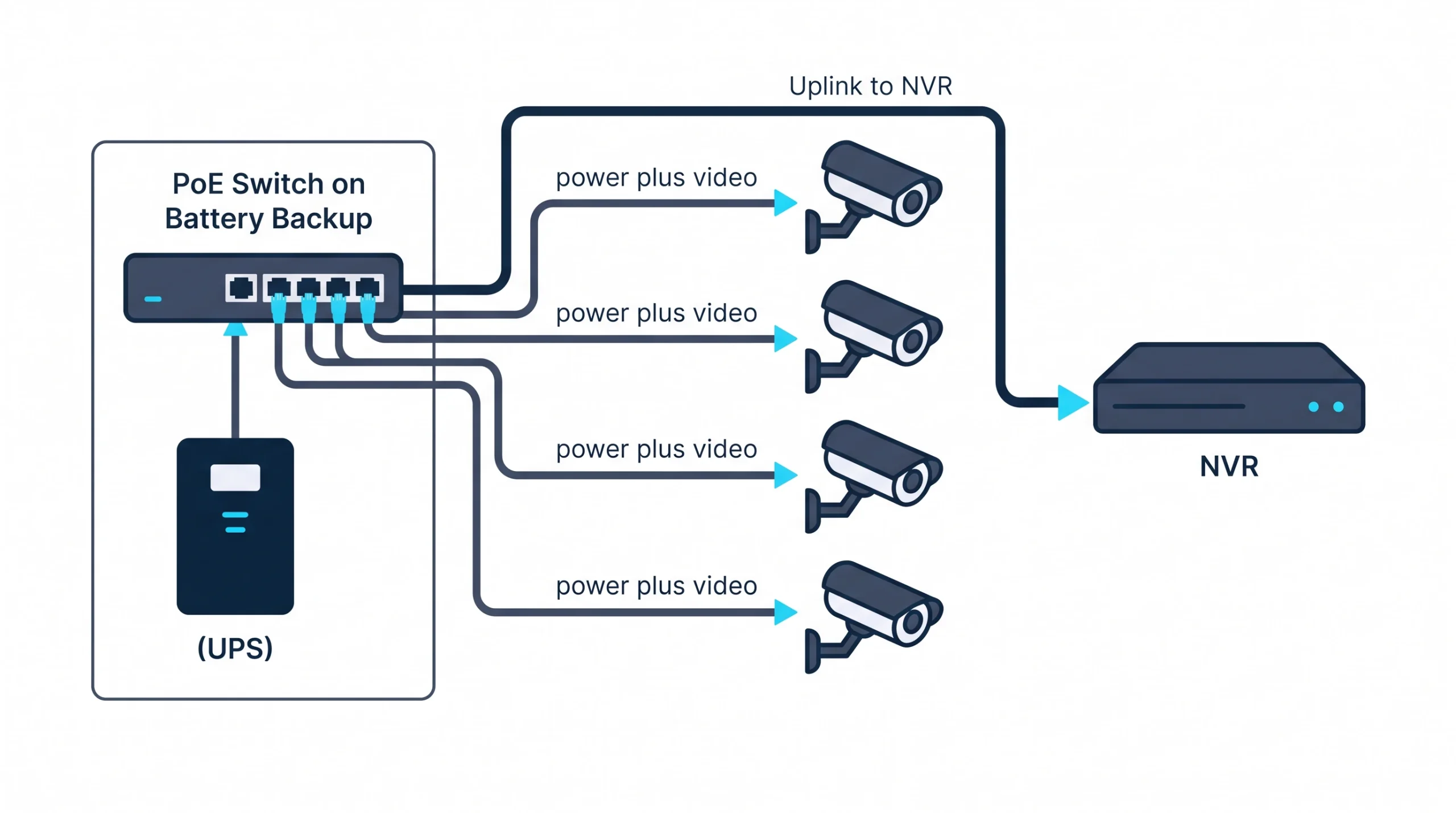
A PoE camera plugs into a PoE switch, or a recorder with PoE ports, using a standard Ethernet cable. The switch sends low-voltage power down the same cable that carries video back. Before sending anything, the switch checks that the device asked for power, so a laptop plugged into the same port won’t be harmed.
Every PoE setup has three parts:
- The power source. Usually a PoE network switch. Small systems often use a recorder (NVR) with PoE ports built in. A single camera can run from a small adapter called an injector.
- The cable. Ordinary Cat5e or Cat6 Ethernet, up to 328 feet per run.
- The camera. It takes power and sends video over that one cable.
PoE standards: how much power a camera can draw
Not all PoE is the same. The IEEE has published three generations of the standard, each delivering more power, and the camera’s needs have to match what the switch port provides. The current top tier is defined in IEEE 802.3bt.
The gap between the two power columns is what’s lost along the cable. Most fixed cameras draw 4 to 8 watts in daylight and noticeably more at night, when their infrared lights switch on.
The PoE budget: the mistake behind cameras that reboot at dusk
Every PoE switch has two limits. One is per port, shown in the table above. The other is a total budget for the whole switch, and it’s the one people miss.
Say a 16-port PoE switch has a 120-watt budget and twelve cameras plugged in. In daylight each draws 6 watts, 72 in total. At sunset the infrared lights come on and each camera draws 11 watts. That’s 132. The switch is over budget, so it cuts power to ports, and cameras drop off and restart all evening. The cameras get blamed. The cameras are fine.
Our take: size the switch for night-time draw plus 25 percent headroom, and check the total budget before the port count. A switch with enough ports and too little power is the most avoidable problem in a camera install.
Why a business owner should care
Lower install cost. One cable per camera, pulled by a low-voltage crew. No electrician adding an outlet at every camera position.
Cameras that survive a power outage. Because power comes from one place, one battery backup at the switch keeps every camera recording when the lights go out. With plug-in cameras, each one dies with its outlet.
Freedom of placement. The best camera position is rarely near an outlet.
That last point decides some projects. Take a nine-camera job in a two-story brick building on the historic square in downtown McKinney. The exterior has two outlets, and adding more means surface conduit across century-old brick. With PoE, nine thin cables run back to one switch in the upstairs IT closet, and that switch shares a battery backup with the firewall. It’s why PoE suits camera installation in McKinney and other older downtowns.
IP camera vs analog camera: where PoE fits
PoE is an IP camera feature. An IP camera is a small network computer: it encodes its own video and sends it as data, which is why one network cable can do everything. An analog camera sends a video signal over coaxial cable and needs a separate power wire, then relies on the recorder to digitize the picture.
If you’re weighing the two system types, or you have old coax in the walls, our NVR vs DVR comparison covers when each one is the right call.
Cable matters more than people expect
Power traveling over thin copper is sensitive to cable quality in a way data alone isn’t. Four things to insist on:
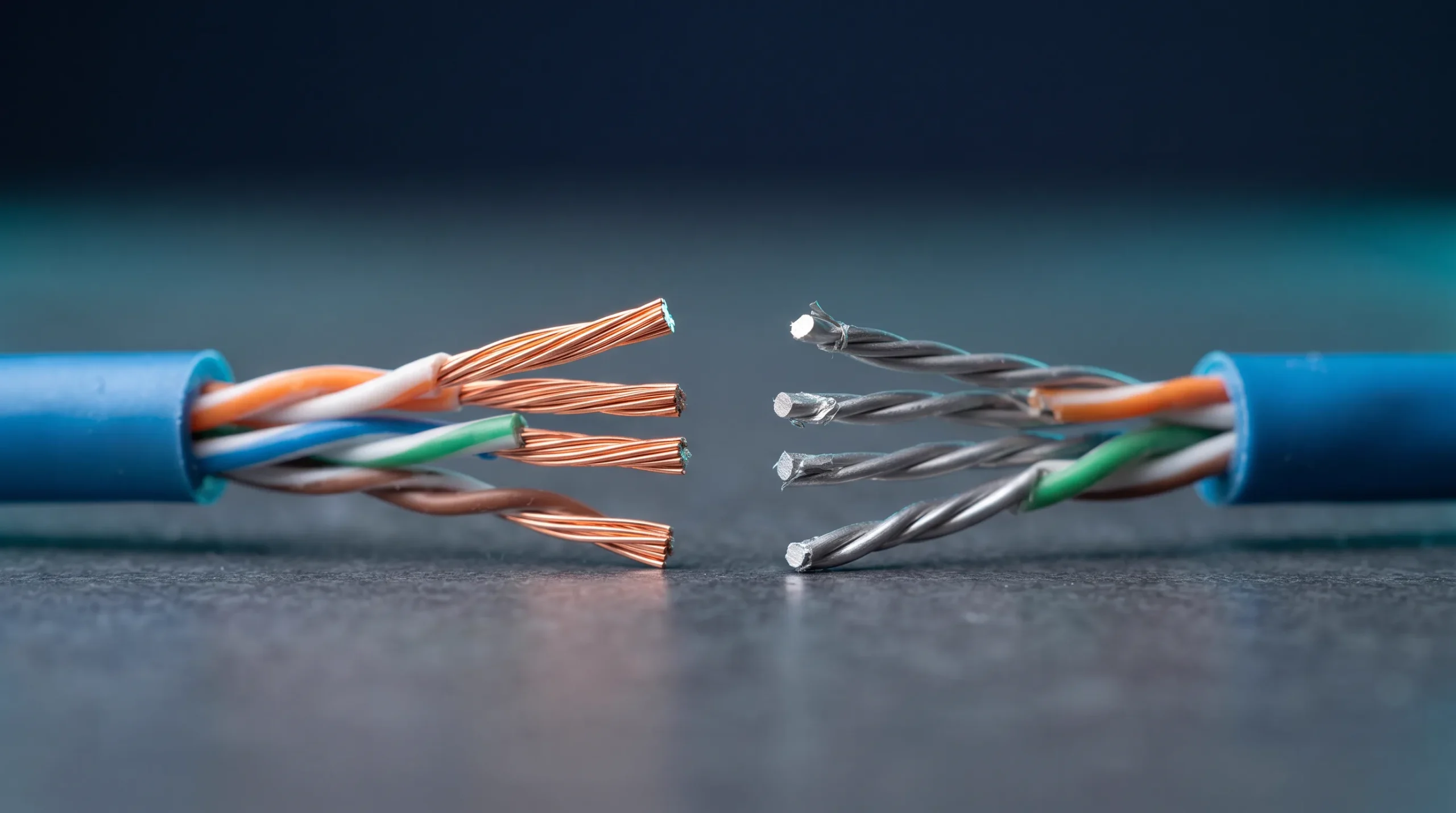
- Solid copper cable. Avoid copper-clad aluminum, often sold as “CCA.” It’s cheaper, it resists current more, and it loses voltage and runs warm on long PoE runs.
- The 328-foot limit. Past that distance you need another switch, an extender or fiber.
- Outdoor-rated cable outdoors. Standard indoor cable breaks down in sunlight within a few years.
- Surge protection on exterior runs. A camera on a pole or a roofline is a lightning path into your switch, and North Texas storm seasons test it.
Cat5e and Cat6 both carry PoE well. For how camera cabling fits into a building’s overall wiring, see our explainer on what structured cabling is .
One local note. Outdoor cameras are commonly rated to around 140°F, and a dark housing on a west-facing metal wall in a Texas July gets closer to that than you’d guess. We pick light-colored housings and shaded positions where we can.
Planning cameras for a building with awkward power? Tell us about the building and we’ll sketch where the switch and cable runs should go before anyone drills.
What PoE cameras cost
The cameras themselves run about $150 to $450 for standard fixed models, and a PoE switch adds $300 to $1,500 depending on size and power budget. Installed, most commercial systems in our market land between $600 and $1,500 per camera. Our security camera installation cost guide has the full breakdown.
Three misconceptions
“PoE cameras are wireless.” They’re wired, with one wire where there used to be two. And “wireless” cameras usually still need a power cord.
“Any network port will power a camera.” Only PoE ports supply power. A standard switch or a typical router won’t.
“PoE cameras need the internet.” They need a network, which isn’t the same thing. A PoE system records on a closed local network with no internet at all. Internet is only for viewing remotely.
If it were our building: every fixed camera would be PoE, on a switch with power to spare, on a battery backup, in a closet with air conditioning. That one sentence covers most of what goes wrong with camera systems.
Frequently Asked Questions
Do PoE cameras need an NVR?
Do PoE cameras need Wi-Fi or internet?
How far can you run a PoE camera?
Are PoE cameras better than Wi-Fi cameras?
One cable, done properly
PoE takes the hardest part of a camera install, getting power to awkward places, and removes it. What’s left is choosing a switch with enough power and running good cable. If you’d like a second opinion on a design or a quote, book a free IT consultation and bring the equipment list. We’ll check the power budget first.