
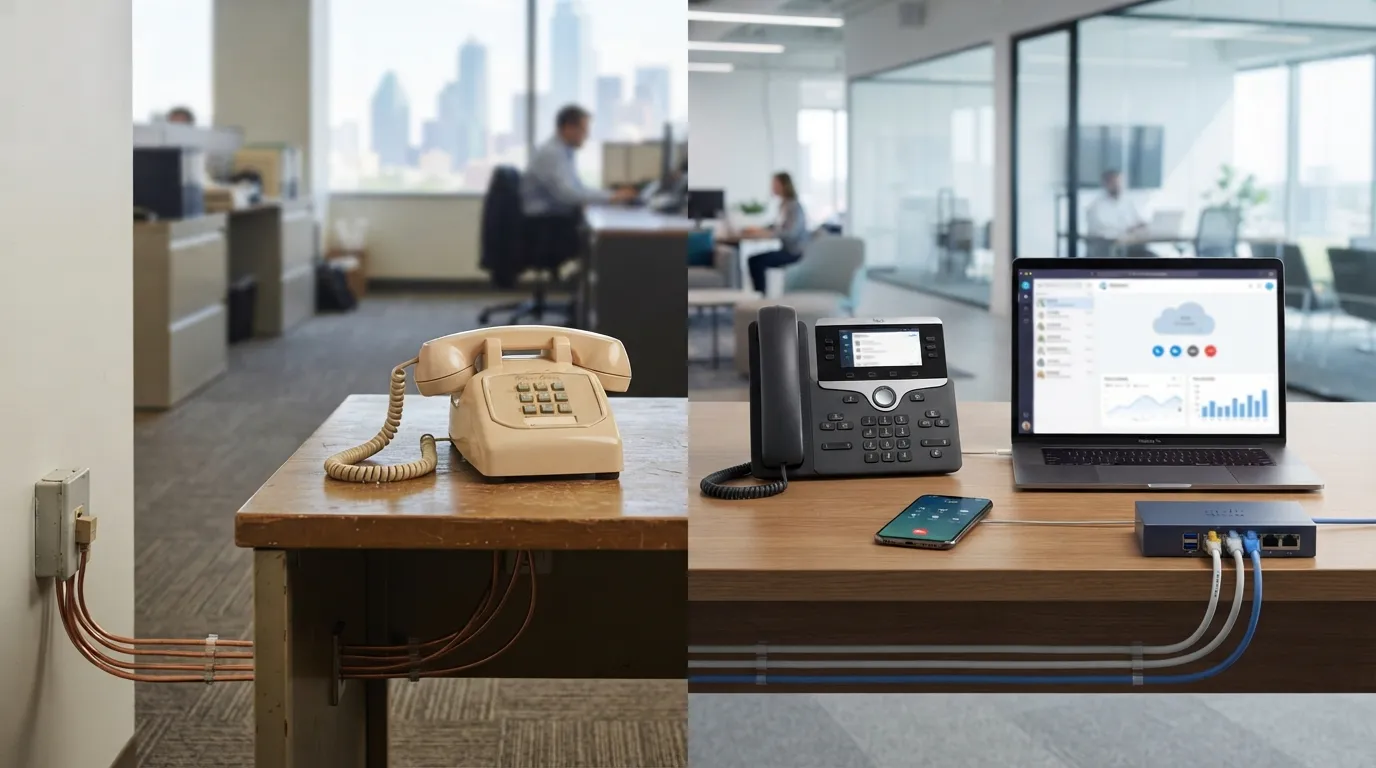
The verdict up front: VoIP wins for almost every business in 2026, at roughly $15–$35 per user monthly against $40–$70 per copper line, with a feature set landlines can’t approach. Keep a landline only for specific edge cases: genuinely unreliable internet, or analog devices like elevator phones that regulation ties to dedicated lines.
That’s not vendor cheerleading; it’s where the market already went, and the carriers went with it. The FCC has been actively facilitating the retirement of legacy copper networks for years (FCC), and the practical consequence shows up on invoices: copper line prices climb steadily while the service itself gets maintained less. You’re not really choosing between two competing futures. You’re choosing when to leave a platform that’s being sunset around you, and whether to do it on your schedule or the carrier’s.
Still, “almost every business” isn’t “every business,” and the trade-offs deserve real numbers. Here’s the honest comparison.
VoIP vs landline at a glance
| Criterion | Landline (copper/analog) | Business VoIP |
|---|---|---|
| Monthly cost per line/user | $40–$70, rising | $15–$35, stable |
| Long-distance | Often metered | Typically included (US) |
| Installation | Carrier truck roll, per-line wiring | Hours to days, mostly software |
| Works in power outage | Yes (line-powered analog) | Needs battery backup + cell failover |
| Works in internet outage | Yes | Fails over to cells if configured |
| Moving offices | Painful, sometimes number-risky | Trivial; number follows you |
| Features (auto-attendant, transcription, apps, recording) | Extra cost or unavailable | Included |
| Remote/multi-site workers | Forwarding hacks | Native |
| Scaling up a line | Construction | A checkbox |
| Long-term platform outlook | Being retired | The replacement |
Cost: the real math, not the teaser rate
A 10-person office is the useful test case. On copper: ten lines at a midpoint $55 runs $550/month, before long-distance, before voicemail add-ons, before the “regulatory recovery” fees that pad legacy bills. On hosted VoIP at a midpoint $25: $250/month, features included. Over a three-year horizon that’s roughly a $10,800 difference, against maybe $1,500–$2,500 of one-time spend on desk phones and a proper router.
The counterweight is honest too: VoIP has its own fee ecosystem (taxes, USF pass-throughs, per-number charges), and cheap providers advertise rates that grow 30% by the time the invoice arrives. We built the full per-user cost breakdown with every fee precisely so nobody on our watch gets surprised. Even fee-loaded, VoIP under-prices copper in every quote we’ve run this year, and the gap widens annually as copper rates climb.
Reliability: the section that deserves honesty
This is the landline’s best argument, so let’s give it a fair hearing. An analog phone draws power from the phone line itself. Storm takes the neighborhood’s electricity, the old desk phone still hums. That property saved real businesses real trouble for decades, and VoIP does not have it natively: no power or no internet means no phones at your site.
The rebuttal isn’t “that never matters.” It’s that the mitigation is now cheap and, configured once, arguably better than copper’s version. Battery backup keeps the network gear alive through short outages. Provider-side failover rings the team’s cell apps the moment your site drops, so callers reach a human instead of dead air, something copper never offered when the line was cut. And line cuts happen: the backhoe doesn’t discriminate. Ice-storm week in North Texas is the annual exam, and the VoIP offices with failover configured pass it from their kitchens.
Our take: copper’s reliability edge is real for exactly one device class: things that must work with zero configuration, zero battery, and zero thought, in a disaster. Elevator phones. Some fire and alarm circuits, where code and the monitoring path get a say. For everything a human answers, configured VoIP fails better than copper, because “everyone’s cell rings” beats “the office is unreachable but technically the line works.”
Call quality is the other reliability topic, and the answer is short: on a managed network with voice prioritized, VoIP audio meets or beats analog. On an unmanaged network, it doesn’t, and that’s a network problem wearing a phone costume. The mechanics live in how VoIP actually works under the hood, and when calls do turn choppy, the nine most common fixes are a guide of their own.
Features: not a fair fight
A landline is a superb implementation of 1985. Auto-attendants, voicemail-to-email transcription, call recording for training, mobile apps that make a personal cell show the business number, ring groups, call analytics, CRM screen-pops: on copper these range from costly add-ons to impossible; on VoIP they’re the default checkbox column. The feature that sells most owners isn’t exotic, either. It’s the receptionist answering the main line from home during a road-closure morning, indistinguishable from her desk.
PBX vs VoIP, and the analog phone question
Two adjacent comparisons keep showing up in the same conversation, so quickly:
PBX vs VoIP is mostly a false choice now. The PBX (the brain that routes office calls) still exists; the question is where it lives. Legacy on-premise PBX hardware ran on copper trunks and died expensively at 8 a.m. on Mondays. Modern systems host the PBX in the cloud, delivered over VoIP. If you own an aging closet PBX, the upgrade path is VoIP; nobody’s manufacturing your spare parts.
Analog phone vs VoIP at the device level: your existing analog handsets can ride into a VoIP world on adapters (ATAs), which is a fine bridge and a poor destination. IP handsets are cheap enough that we adapter-only the genuinely special devices (that hallway fax nobody will surrender) and replace the rest.
Choose which, honestly
Choose (or keep some) landline if: your location’s internet options are genuinely poor with no fixed-wireless or fiber remedy; you have code-governed analog devices (elevator, certain fire circuits) whose modernization isn’t budgeted yet; or you’re months from closing the business and the switch can’t pay back.
Choose VoIP if: you have workable internet, more than a couple of lines, any remote or field staff, any second location or plans for one, or a copper bill that’s grown two renewals running. Which is to say: nearly everyone reading this.
The edge cases are worth walking with someone who’s seen them. A propane distributor outside Denison came to us convinced they were a “keep the landlines” case: rural address, one incumbent copper provider, drivers in the field all day. The walkthrough found fixed-wireless internet that tested clean for voice, and the drivers were the argument for switching, since the dispatch number now rings their cells natively instead of through a forwarding chain that dropped calls. Two copper lines stayed (an elevator phone and a legacy alarm circuit, pending its cellular communicator). Everything else moved. Their bill went down by about a third, and our managed IT services in Denison team handles the whole stack, so “phone problem or internet problem” is no longer their question to answer.
If it were our building: full VoIP, failover tested by actually pulling the plug quarterly, per-device 911 locations current (the law requires dispatchable location on multi-line systems anyway, per Kari’s Law and RAY BAUM’S Act), and exactly zero nostalgia for the copper bill.
Frequently Asked Questions
Is VoIP cheaper than a landline for business?
Is a landline more reliable than VoIP?
Can I keep my business phone number if I switch from landline to VoIP?
Do businesses still need landlines?
What happens to VoIP phones when the internet goes down?
Ready to run the numbers on your actual bill? Our team will map what it takes to switch to business VoIP, including which of your lines should honestly stay copper.