
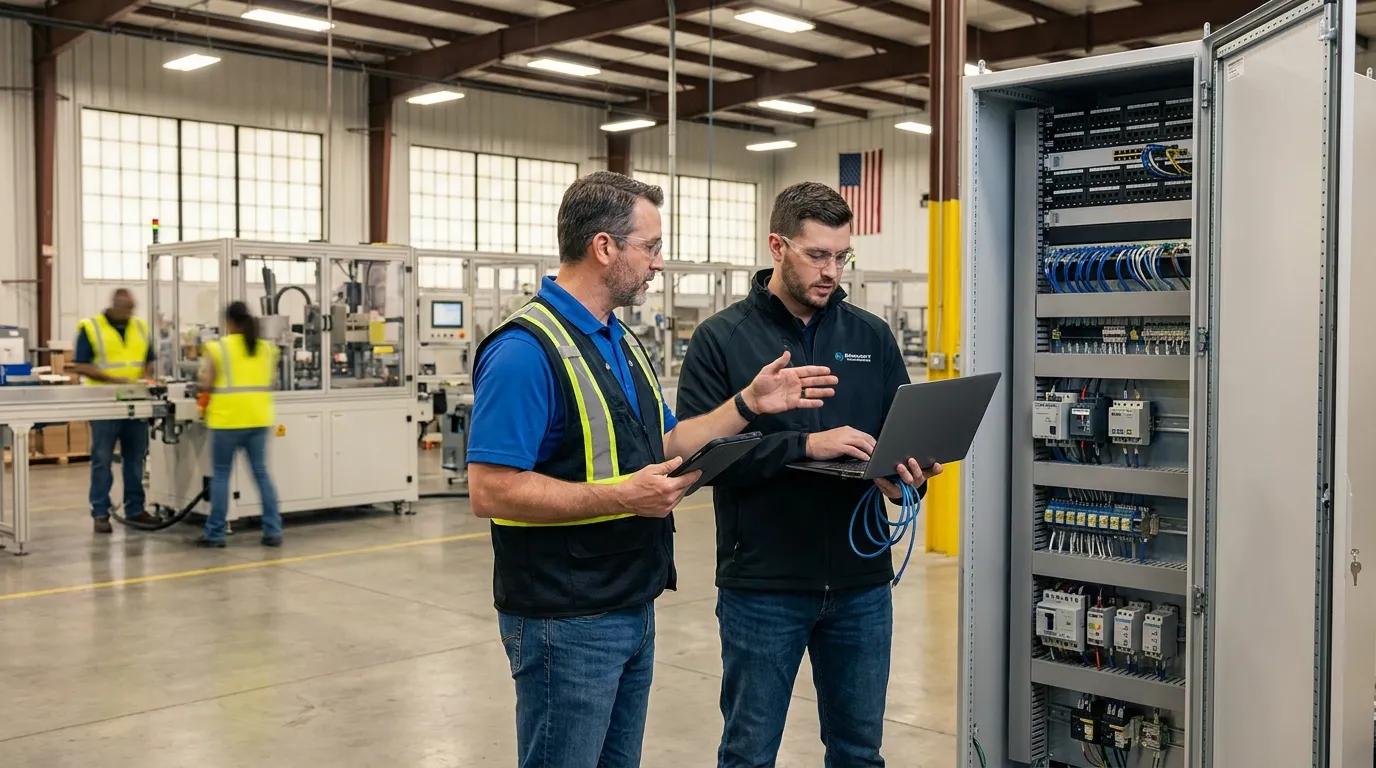
Co-managed IT services pair your internal IT staff with an outside provider. Your team keeps the front line and the institutional knowledge; the provider brings enterprise tooling, after-hours coverage, and specialist depth that one or two techs can’t carry alone. You’ll also hear it called internal IT team augmentation. Same animal.
It’s the right model for most organizations running 50 to 250 devices with at least one IT employee on payroll. If you have zero internal IT staff, full outsourcing is simpler and usually cheaper. But if you’ve got a good tech drowning in tickets, keep reading, because this is the situation our co-managed IT support plans were built for.
Who owns what: the split that makes or breaks it
The principle is simple: your team keeps anything that benefits from being in the building, and the provider takes anything that benefits from scale, automation, or a staffed 24/7 bench. In practice, a healthy split looks like this:
| Responsibility | Internal IT | Co-managed provider |
|---|---|---|
| Day-to-day help desk, new-hire setups | Owns | Overflow and PTO backup |
| Line-of-business apps (ERP, practice software) | Owns | Escalation support |
| Patching and updates | Reviews the report | Owns — automated and verified |
| Backups and test restores | Spot-checks | Owns |
| Security monitoring (EDR/MDR) | Responds jointly | Owns, 24/7 |
| Documentation and password vault | Contributes | Owns the system |
| Projects (migrations, moves, buildouts) | Co-plans | Executes |
| Budget and strategy | Owns the decision | Advises quarterly |
Every line on that table is negotiable except one thing: somebody’s name has to be on it. The co-managed engagements that fail are the ones where a task was “shared,” which is a synonym for “nobody’s.”
What the provider actually brings
Three things, and only the third is about being smarter than your tech.
Tooling priced for fleets. The monitoring, endpoint security, and backup platforms that make modern IT manageable are licensed for hundreds or thousands of endpoints. A solo IT manager buying them for 80 machines pays boutique prices for enterprise software, then becomes the only person watching the dashboards. A provider already owns the stack and staffs the screens.
Coverage that doesn’t take PTO. One-person IT departments have a structural flaw: they’re one person. Vacations, sick weeks, resignations, and 3 a.m. alerts don’t schedule themselves around your tech. Under co-management, patches still ship and alerts still get answered while your person is at the lake.
Depth on demand. Nobody is simultaneously excellent at firewalls, Microsoft 365 tenants, VoIP, SQL, and physical security. Co-management means your generalist can pull a specialist into a ticket instead of burning two days on a problem someone on our bench has solved forty times. And speed matters more than it used to: CISA’s Known Exploited Vulnerabilities catalog adds actively-attacked flaws weekly, and “we’ll get to updates next quarter” is how small companies end up in breach write-ups.
When co-managed IT services beat full outsourcing
Four situations where we’ll recommend co-managed over handing us everything, even though the second option pays us more:
Your line-of-business software is exotic. A machine shop’s ERP, a dental practice’s imaging suite, a title company’s closing platform. Your internal person’s fluency in those systems is worth more than any outside tech’s general skill. Keep that knowledge on payroll and outsource the plumbing.
You need hands in the building. Plant floors, warehouses, campuses with hardware spread everywhere. When a terminal on the floor dies, a badged-in tech beats a ticket queue every time.
You’re past 100 endpoints. At that scale, internal triage genuinely saves money. Your tech clears the two-minute problems on the spot; the contract absorbs the systemic ones.
Your tech is good and overloaded. The most common case we see. The choice was never “him or us.” It’s “him doing the valuable work, us doing the repeatable work.”
And when it doesn’t
Under about 30 endpoints. You’d be paying a salary and a contract to manage a network that needs neither. Pick one: full management, or one sharp tech.
When the internal tech treats the network as job security. We’ve walked away from engagements over this. If your person won’t share passwords or documentation with the provider, the model is dead on arrival, and frankly the hoarding should worry you more than the turf war does. The network belongs to the business, not to whoever memorized it.
When what you actually need is help desk overflow. That’s a cheaper, narrower service. Don’t let anyone sell you a full co-managed stack to fix a seasonal ticket spike.
Our take: this model lives or dies on the relationship with your internal tech, not on the technology. We tell owners flat out that if their IT person feels threatened rather than reinforced, the engagement will fail no matter what the contract says. Bring them into the evaluation from the first meeting, not after you’ve signed.
A worked example from the shop floor
A manufacturer up in the Alliance corridor on the north side of Fort Worth runs about 120 endpoints: office PCs, engineering workstations, and terminals scattered across a plant floor that pushes triple digits every summer. One IT manager. He knows the ERP cold and can nurse a 15-year-old CNC controller back to life. Before co-management, he was also personally responsible for patching all 120 machines, babysitting backups, and answering whatever the overnight shift broke.
The split we landed on: he kept the ERP, the floor hardware, and anything touching production. We took patching, backup verification, endpoint security, and everything after 6 p.m. His summary at the first quarterly review, roughly: the job went back to being the job he was hired for. If your building runs on similar math, our IT support in Fort Worth team spends a lot of time in shops exactly like it.
What co-managed IT costs
Because your payroll already covers the front line, co-managed pricing lands well below full management, commonly 30 to 50 percent less per seat in our market, and it’s usually priced per device rather than per user. The variables that move it: server count, compliance load, and whether you want 24/7 security monitoring or business-hours-plus. For the complete pricing picture, including what full management runs, start with what managed IT services cost.
Want the split priced for your building instead of in the abstract? Tell us what you’re running and we’ll map it line by line.
Two related reads while you’re evaluating. If you’re building a list of what your environment actually requires before you shop, run it against our small business IT services checklist . And if you’re at the other end of the spectrum, no internal staff and still paying by the hour, the comparison you want is break/fix vs managed IT .
If it were our building: under 30 devices we’d hire nobody and buy full management. From 50 to 250 with a good tech on staff, we’d co-manage, and we’d put the after-hours pager in the provider’s column on day one. The 2 a.m. calls are what burn out good IT people, and burned-out IT people are how documentation dies.
Frequently Asked Questions
What is the difference between co-managed IT and fully managed IT?
How much do co-managed IT services cost?
Does co-managed IT replace internal IT staff?
What size company should consider co-managed IT?
Who is responsible when something breaks under co-managed IT?
Where to go from here
If you’ve got a good tech and a growing ticket queue, the fix isn’t a bigger queue. Get a straight answer about what a split would look like in your building — talk to an IT specialist and bring your IT person to the call. We mean that last part.