
The benefits of managed IT services boil down to three an owner actually feels: predictable monthly costs, fewer outages, and security that passes an insurance audit. The other six on this list are real, but those three are why offices sign. Below is the honest version of each, plus the two things managed IT won’t fix.
Full disclosure: we’re not a neutral party here, since our managed IT services are the product in question. So we’ll argue with specifics instead of adjectives, and we’ll tell you where the industry pitch usually oversells. If you’re still working out what an MSP actually is, read that first; this article assumes the basics.
The 9 benefits of managed IT services, ranked honestly
1. Predictable costs instead of surprise invoices
The flat fee is the headline benefit for a reason. Break/fix IT produces quarters where you spend $400 and quarters where a dead server costs $9,000 in parts, labor, and lost work. Managed IT converts that volatility into a budget line. What the line runs in our market, and which five levers move it, is covered in our DFW managed IT pricing guide; the short version is $100 to $185 per user monthly for full management.
2. Outages caught while they’re still boring
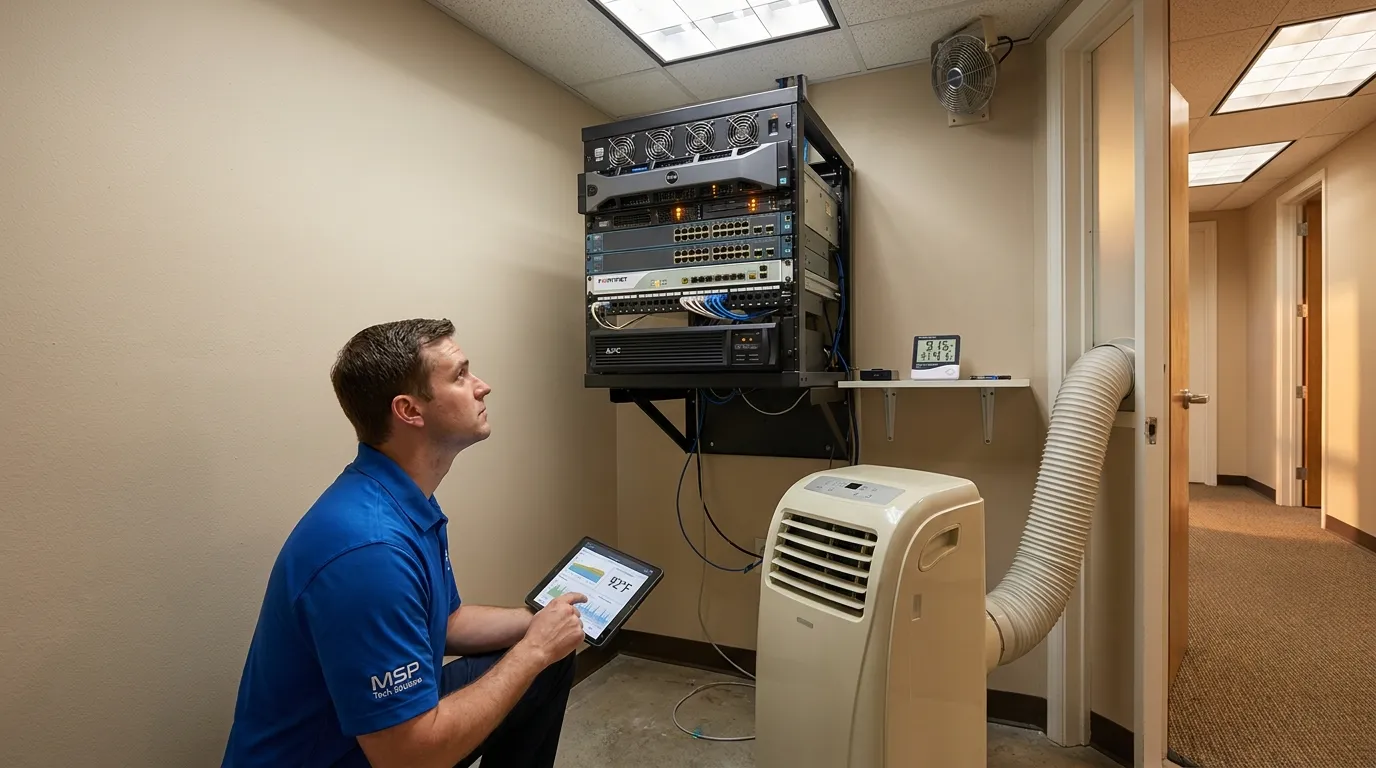
Most downtime doesn’t start with a hacker. It starts with a disk hitting 98 percent full, an expired certificate, a UPS battery from 2021, or a server fan losing its fight with a Texas closet. Monitoring flags all of it early. After years of walkthroughs across DFW, our field observation is blunt: the outages we prevent are overwhelmingly the boring kind, which is exactly why unmonitored networks keep having them.
3. Security your insurance carrier will accept
Cyber policy renewals now arrive with questionnaires. MFA everywhere? EDR deployed? Backups tested and stored offsite? Answer no, and the premium jumps or the coverage quietly shrinks. A managed plan deploys those controls and, more importantly, documents them, so renewal season becomes paperwork instead of a scramble.
4. Backups somebody actually tests
Every office says it has backups. On new-client audits we regularly find backup jobs that have been failing quietly for months, because backup software rarely announces its own failure loudly. A managed plan includes scheduled test restores, which converts “we have backups” from a belief into a report with a date on it.
5. A bench instead of a single point of failure
If your entire IT brain trust is one person, your uptime takes vacations when they do. A managed contract puts a staffed help desk and an on-call rotation behind your business, so the answer to “who fixes this on Saturday” is never “hopefully somebody.”
6. New hires working day one, ex-employees locked out day zero
Onboarding through an MSP means the laptop, the accounts, the phone extension, and the app access exist before the new hire’s first coffee. Offboarding is the bigger deal. On security walkthroughs we still find active accounts belonging to people who left a year ago, and every one of them is a propped-open door nobody is watching.
7. One phone call for vendor problems
When the internet drops, the ISP blames the firewall and the firewall vendor blames the ISP. Under managed IT that circus becomes our problem: we sit on hold with the carrier so you don’t, and we speak enough of every vendor’s dialect to pin down whose fault it actually is.
8. A straight path through compliance
HIPAA for medical and dental, the FTC Safeguards Rule for CPA and tax practices, CMMC for defense suppliers. Each expects written policies, access controls, and monitoring you can prove. Managed IT doesn’t make compliance automatic, but it builds the technical half and produces the evidence, and the evidence is most of the audit.
9. Technology decisions with adult supervision
The quarterly review is the quiet benefit: someone who sees hundreds of environments telling you the server can wait a year, the switches can’t, and the gadget your copier vendor is pushing is a subscription you’ll cancel in eight months. Good advice about what not to buy routinely pays for the month it was given in.
What managed IT won’t fix
Two honest limits. It won’t fix bad line-of-business software; if your industry app is the real problem, we can stabilize the ground it stands on, not rewrite it. And it won’t fix a refusal to replace hardware. Management stretches equipment life, but a 2017 machine on a 2026 workload is a decision, not an IT failure.
Our take: be suspicious of any provider promising that managed services will cut your IT spending. What the model does is make spending predictable and prevent the expensive weeks. Across a full year, most offices spend a similar total and lose radically fewer days, and the second half of that sentence is the entire point.
Want the arithmetic run on your actual office instead of a hypothetical one? Tell us what you’re running and we’ll show you where the fee would earn its keep, and where it wouldn’t.
What this looked like for one Dallas office
A 35-person insurance agency off LBJ in North Dallas came to us the summer their building’s AC failed over a weekend and the closet server cooked. That’s not an exotic risk here; a Texas August finds every unmonitored closet eventually. The rebuild week cost them more than a year of management would have. Under a managed plan they got temperature alerts on that closet, verified nightly offsite backups, and a hardware roadmap that retired the closet server entirely. The next AC failure, and in Dallas there is always a next one, would be an inconvenience instead of an event.
Offices around town can start with managed IT services in Dallas, and if you’re comparing local providers head to head, our Dallas buyer’s guide lists the questions worth asking.
If it were our building: benefit #4 outranks everything above it on this list. Tested backups are the difference between a ransomware story you tell at lunch and one you tell a bankruptcy lawyer. Start every provider conversation there.
How to verify a provider actually delivers
Claims are free. Evidence isn’t. Take this table into any sales meeting:
| Benefit claimed | Ask for this |
|---|---|
| Predictable costs | The exclusions list, in writing |
| Fewer outages | A sample monthly monitoring report |
| Insurable security | Their standard MFA and EDR deployment baseline |
| Tested backups | Last month’s test-restore log for a client your size |
| Real coverage | The after-hours process, written into the agreement |
Frequently Asked Questions
What are the main benefits of managed IT services?
Why choose managed IT services over break/fix support?
Is managed IT worth it for a small business in Texas?
How do managed IT services reduce downtime?
What should a managed IT services agreement include?
Where to go from here
Nine benefits is a list. Whether they’re worth the fee is arithmetic about your specific office, and that math takes about twenty minutes with your real numbers on the table. If the totals look close, get a straight answer — book a free IT consultation and we’ll tell you which of the nine you’d actually notice.