
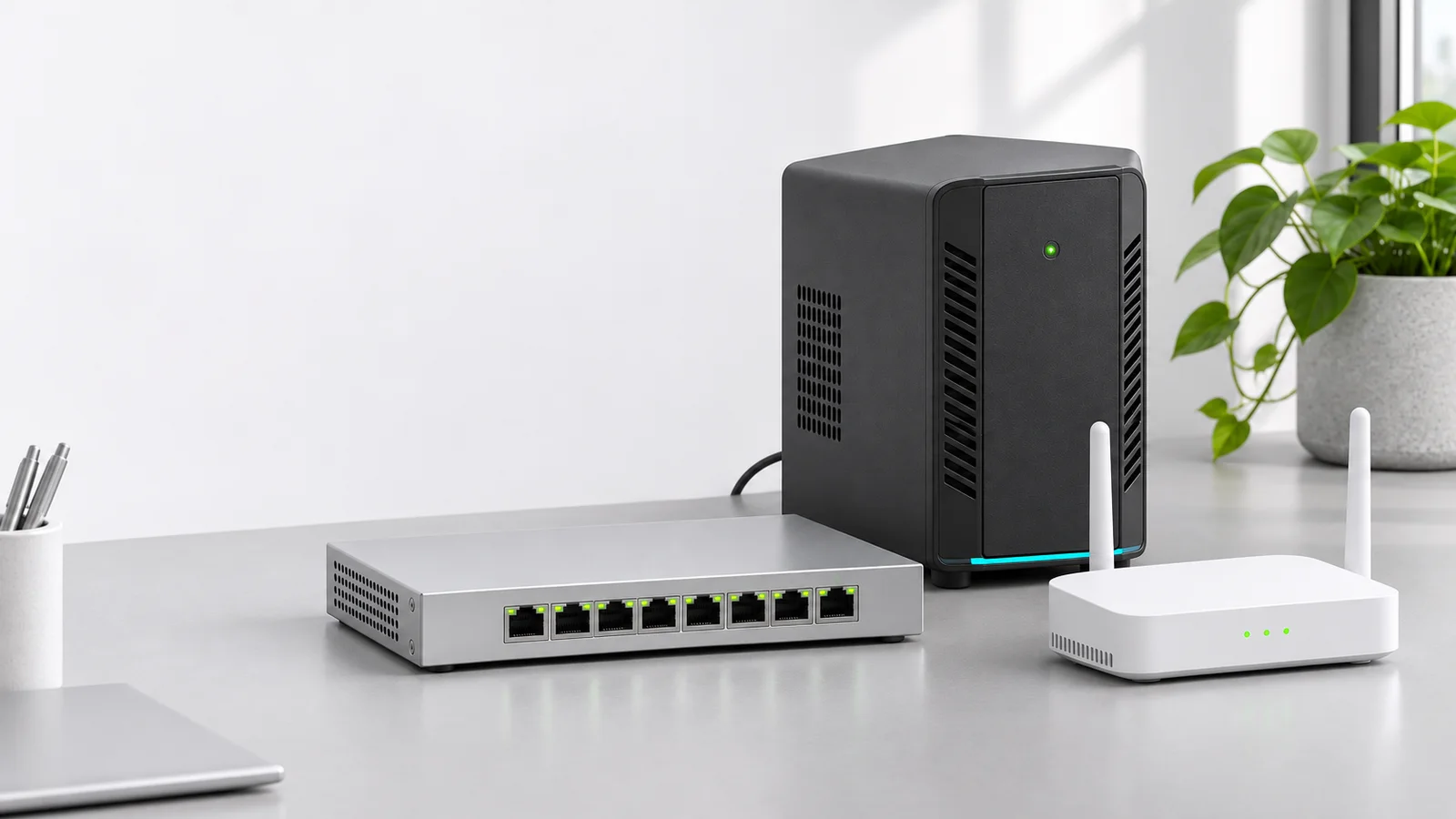
An office UPS should keep the equipment needed for a specific business task running long enough to finish that task or shut it down safely. For a cloud-based office, that often means the internet handoff, firewall or router, network switch, and the access point or phone used by the people who need to stay connected.
A battery-powered laptop does not help much if the device providing its internet connection has no power. Conversely, protecting every desk can consume the battery capacity needed to keep a small, useful network running. Start with the work you need to preserve, then trace its dependencies.
Define the task and the time you need
Choose a concrete outcome: finish saving open work, maintain a reception phone while calls move to another location, or shut down an on-site server cleanly. Write a time target beside it. A requirement such as “keep the network running for 20 minutes” is more testable than “provide backup power.” Twenty minutes here is an example, not a universal recommendation.
An uninterruptible power supply (UPS) provides battery power to connected equipment during a power interruption. Capacity describes the load it can support; runtime describes how long it can support a particular load. Those are separate selection questions, as Eaton’s UPS sizing guide explains.
Trace the whole connection
For a laptop using a cloud application over office Wi-Fi, trace this path: laptop → access point → switch → firewall/router → modem or optical network terminal → internet provider → cloud service. Your equipment may combine several of those functions in one box. Identify the actual devices rather than buying a battery for every label in the diagram.
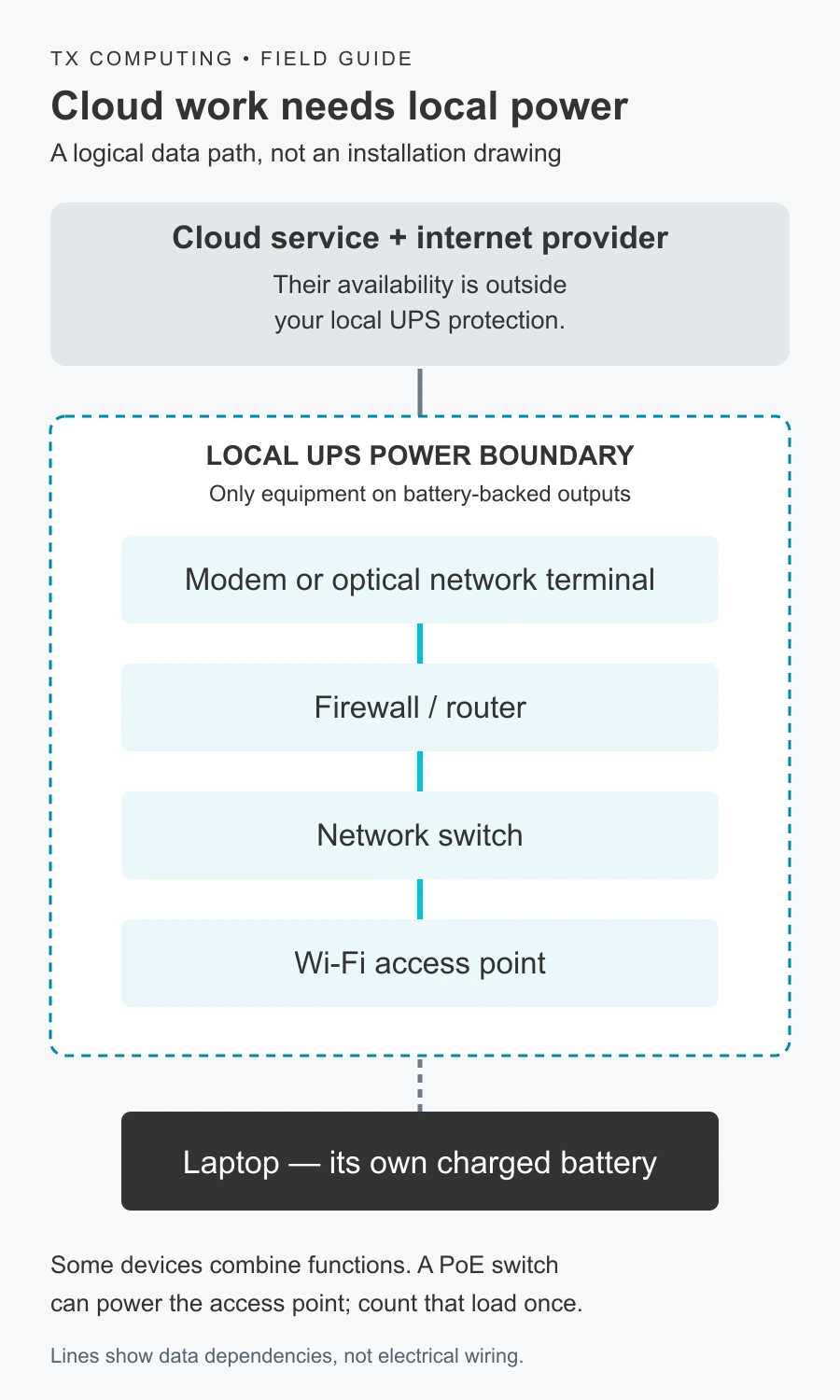
The UPS can protect the local equipment connected to its battery-backed outputs. It cannot guarantee the availability of the internet provider or the cloud service. A cellular fallback also depends on coverage, an active service plan, configuration, and the power supply for the fallback equipment. Test it with the applications you need.
Power over Ethernet (PoE) lets a compatible switch supply power to devices such as access points or desk phones through network cabling. If the switch loses power, those devices can lose power too. Our PoE explainer introduces the principle; for UPS planning, the key is to include all downstream PoE loads without counting them twice.
Build a load worksheet before choosing a model
Record each device’s power source and expected maximum operating load. Use equipment documentation and, where available, measured loads under representative conditions. A measurement taken while everyone is away may understate the load during an outage. Check startup behavior and planned additions with the responsible technician.
| Load | Assumed watts | Counting rule |
|---|---|---|
| Internet handoff device | 15 W | Separate power supply |
| Firewall/router | 25 W | Separate power supply |
| PoE switch, including two access points and two phones | 100 W | Total AC input assumption; includes PoE devices and losses |
| Total assumed load | 140 W | Access points and phones are not added again |
For this example, a 25% growth allowance produces a planning load of 140 × 1.25 = 175 W. That is a transparent planning assumption, not a measured requirement or a model recommendation. If a desktop, storage appliance, or additional phone must stay on, add its load and revise the calculation.
Check watts, volt-amperes, and runtime separately
UPS specifications commonly include both watts (W) and volt-amperes (VA). The selected model must meet both load limits. Power factor relates the two: VA = watts ÷ power factor. If the example’s combined load had an assumed power factor of 0.8, its 140 W would correspond to 175 VA; adding the same 25% allowance would give about 219 VA. Use the equipment’s actual data, not 0.8 as a default for every office. See Eaton’s explanation of VA and watts.
Passing the capacity check does not prove the battery will last 20 minutes. Compare the manufacturer’s runtime information at the actual expected load and at the planned future load. Do not divide a VA rating by watts to calculate minutes; those units do not describe stored battery energy.
Check the exact model’s battery-backed outlets, voltage, plug type, output compatibility, mounting, ventilation requirements, and management options. Some outlets provide surge protection without battery backup. Schneider Electric’s UPS buying guide explains the distinction and how connected load affects runtime.
Decide what can stop
A network continuity plan can deliberately leave printers, spare monitors, and nonessential workstations off the protected load. If the required work is answering a cloud phone on a charged laptop, protecting a large desktop may add little value. If the required work depends on a local database, protecting only the router will not preserve that workflow.
Keep door controls, alarms, and other life-safety-related systems outside an improvised office UPS plan. Their power and failover requirements need the appropriate system designer or installer. For on-site servers, confirm the shutdown and restart procedure as well as the battery runtime. A network-only worksheet is not a server-room electrical design.
Accept the installation with a controlled test
Have the responsible technician plan a manufacturer-approved test with the business owner. Agree on the maintenance window, protected devices, stopping point, and rollback procedure. Avoid an unplanned live power interruption to discover what is connected.
- Record the starting state. Note the UPS model, battery condition indicators, connected load, outlet assignments, and selected runtime target.
- Test the business task. Confirm an authorized user can still reach the necessary application or place the agreed test call. Do not use an emergency number for testing.
- Observe the limit. Record elapsed time, alerts, and any device that restarts or becomes unreachable. Stop at the agreed point rather than deliberately exhausting a production battery.
- Verify recovery. Confirm normal power, charging, network access, and any shutdown or restart sequence. Assign an owner to each failure and retest after correction.
Record what the test demonstrated: which devices, which application, what load, and how long. Repeat the relevant checks after changing the battery, adding equipment, or altering network dependencies. Set the ongoing inspection schedule using the model’s instructions and the business impact of failure.
When battery warnings appear, review UPS battery replacement versus unit replacement before ordering parts. Compatibility, equipment condition and the current load all belong in the decision.
What to request in a UPS proposal
Ask for the protected-device list, load assumptions, watt and VA checks, runtime evidence at the proposed load, outlet map, and acceptance-test plan. If internet continuity matters, ask what happens when the provider fails while your local equipment still has power. That question exposes the boundary between battery backup and a complete continuity plan.
TX Computing’s IT support and consultation can be a starting point for reviewing your equipment and dependencies. Bring the completed worksheet and one business task you need to preserve. For broader recovery planning, see the existing disaster recovery planning guide.
Sources checked November 6, 2026. Calculations are illustrative; select equipment using verified device data, the exact UPS specifications, and the site’s requirements.
By mjunaid for TX Computing. Hero image is a generated conceptual illustration, not a customer installation.